For freelancers and solo practitioners who bill their time
I've been billing my time since 2003.
Here's the tool I wish I'd had.
A2.Time started as the spreadsheet I built to run my law firm. It's now a time-tracking tool built on one idea: understanding your time is the foundation of everything else you sell.

The realization
I lost thousands of dollars before I understood this.
In 2003, I won my first big case. A court trial. The client paid me $10,000 in one lump sum. I felt like I'd made it.
Looking back, I'm not sure I had.
The trial ran for a year and a half. If I'd been tracking my time — really tracking it, not just the courtroom hours — I might have realized I was earning less per hour than I could have made doing other work entirely. I never ran the numbers. I couldn't.
That's the thing about time as a professional: you sell it, but if you don't measure it, you don't actually know what you're selling. You're guessing. And when you guess, you mostly guess wrong.
The reframe took me three more years to internalize:
Time is not what you sell. Time is what you have to understand about yourself before anything else makes sense — your pricing, your positioning, which clients to say yes to, when to walk away.
By 2005 I was tracking every hour in an Excel spreadsheet. That spreadsheet is the ancestor of A2.Time.
What happens when you don't
Three consequences of not tracking your time.
01.
You leave money on the table.
You send an invoice and stare at it, wondering how many hours you actually spent. So you round down. Every month. For years. Nobody sees you doing it, including you.
02.
You misprice new work.
Once I agreed to file a client's company for liquidation. Fixed fee. It turned out to be a full-scale bankruptcy proceeding — hundreds of hours we couldn't recover. I couldn't have predicted the scope. But if I'd looked at what similar-looking work had actually cost me in past matters, I would have quoted it very differently.
03.
You can't decide what to do next.
Which clients are profitable? Which project types drain you? Should you hire, delegate, or drop a service line? Without time data, every one of those decisions is a coin flip dressed up as strategy.
How it works
Your calendar already knows what you did.
A2.Time just makes it billable.
Step 01
Your calendar becomes your timesheet
Connect Google Calendar or Outlook. A2.Time reads what you're already scheduling — client meetings, focused work blocks, calls — and drafts time entries for each.
No timers. No forgetting to press start. No reconstructing your day at 11pm on Friday.
Step 02
You review in one click
Batch approve, edit, or split entries. Match them to clients and projects. AI suggests matches, but you always have the final call.
Two minutes at the end of the day. That's the whole ritual.
Step 03
Clients get invoices you can defend
Export to XLS or PDF. Line-by-line, with dates and descriptions.
When a client asks how you spent the retainer, you have the answer. When you need to justify a fee to in-house counsel, you have the receipts. When you need to defend your work in a fee dispute, you're covered.
Product tour
What A2.Time looks like in practice.
The actual system screens: dashboard, calendar, projects, clients, reports, and settings.
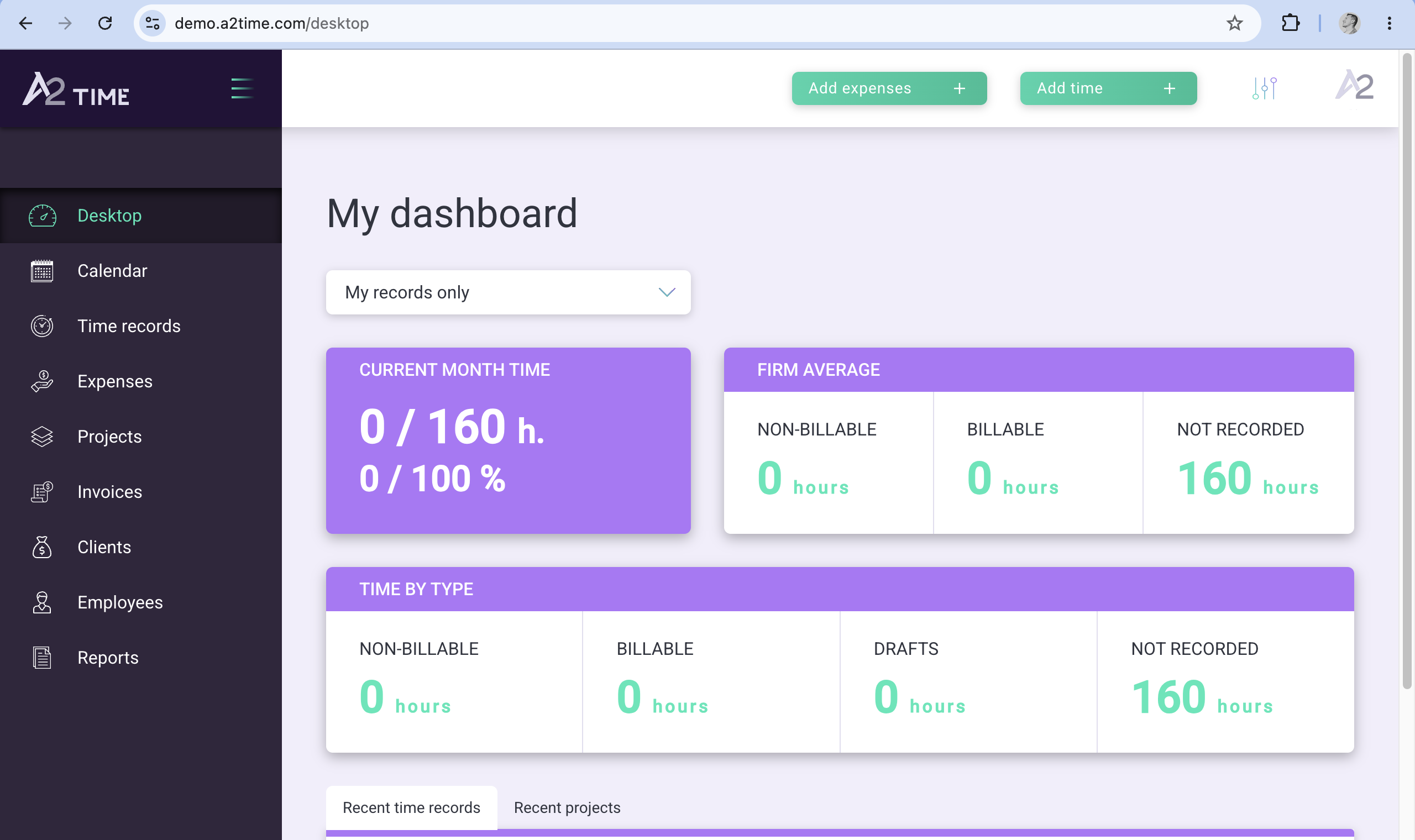
Dashboard
See monthly time, billable time, non-billable time, and gaps before they become invoice problems.
1 / 6
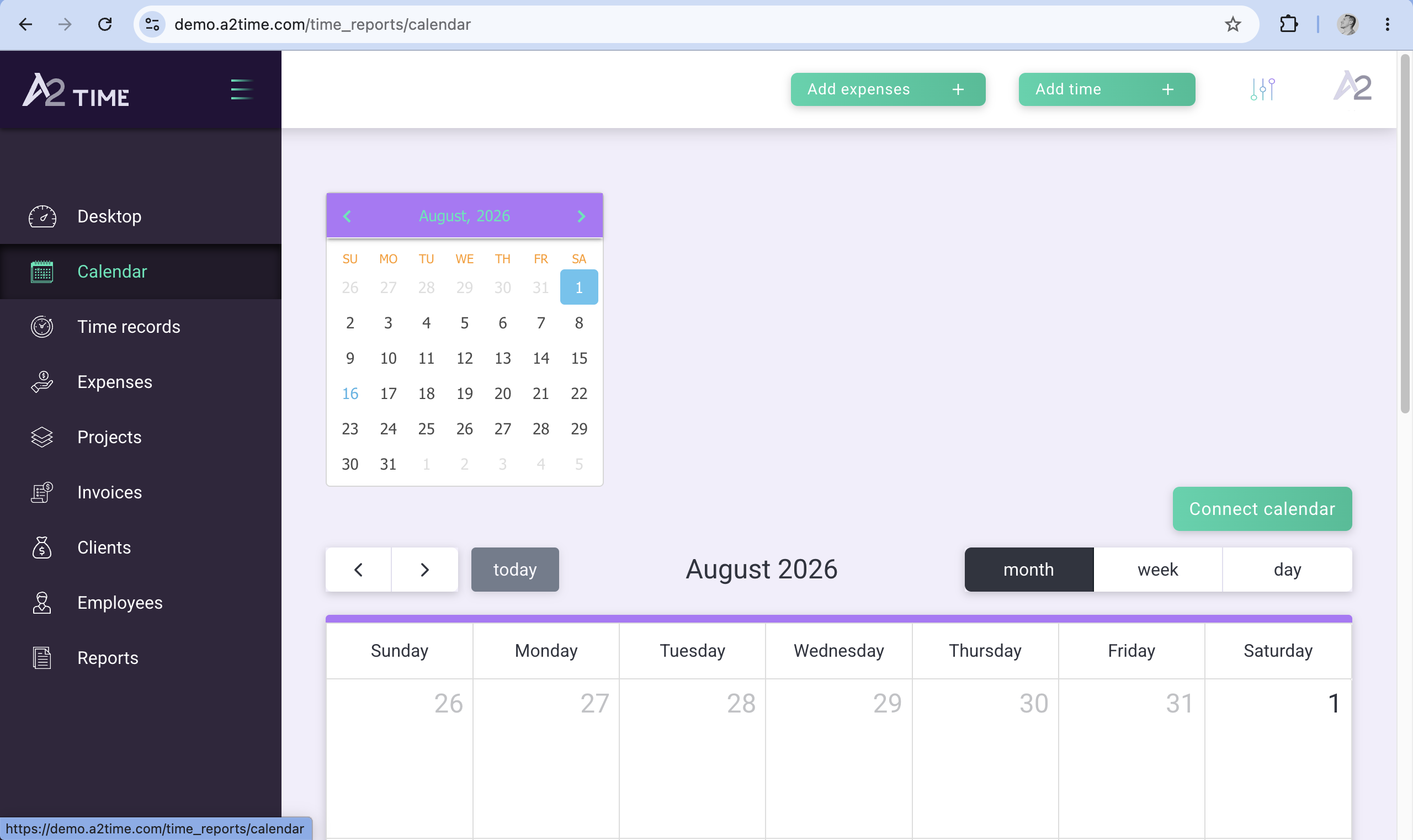
Calendar
Review scheduled work from the calendar and turn the day into approved time entries.
1 / 6
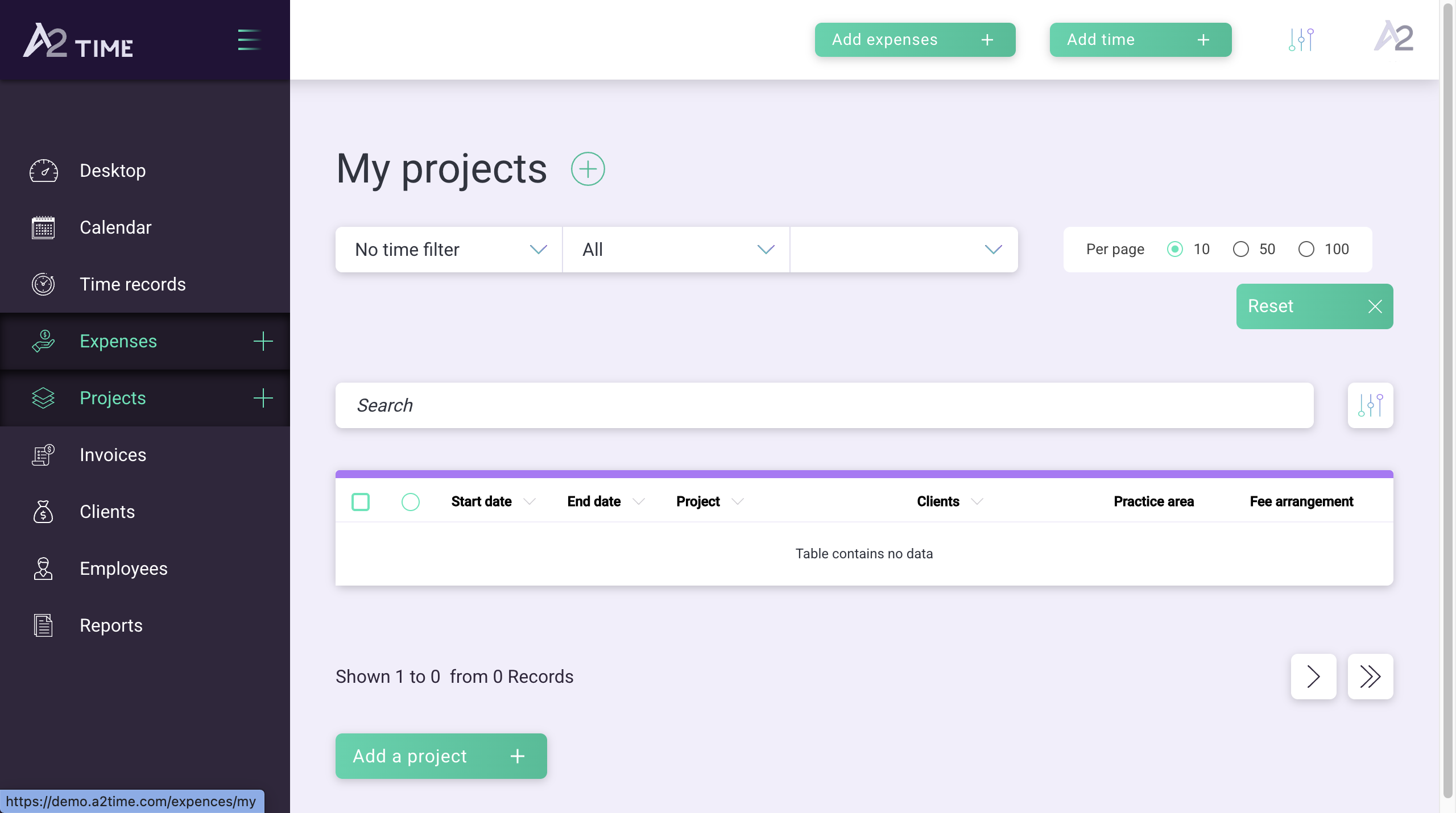
Projects
Keep projects organized by client, fee arrangement, practice area, and reporting status.
1 / 6
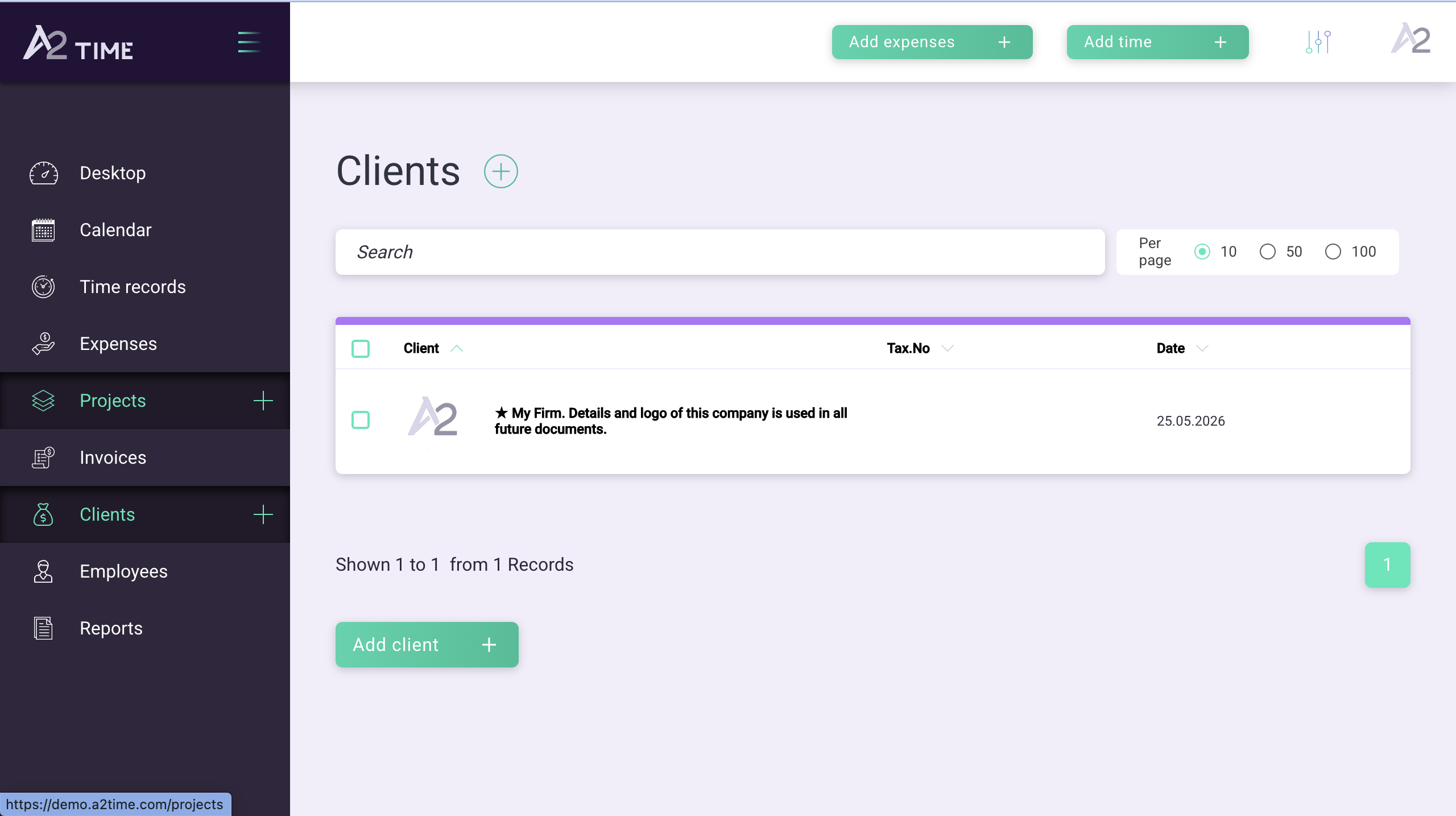
Clients
Store client and company details that carry into reports and future documents.
1 / 6
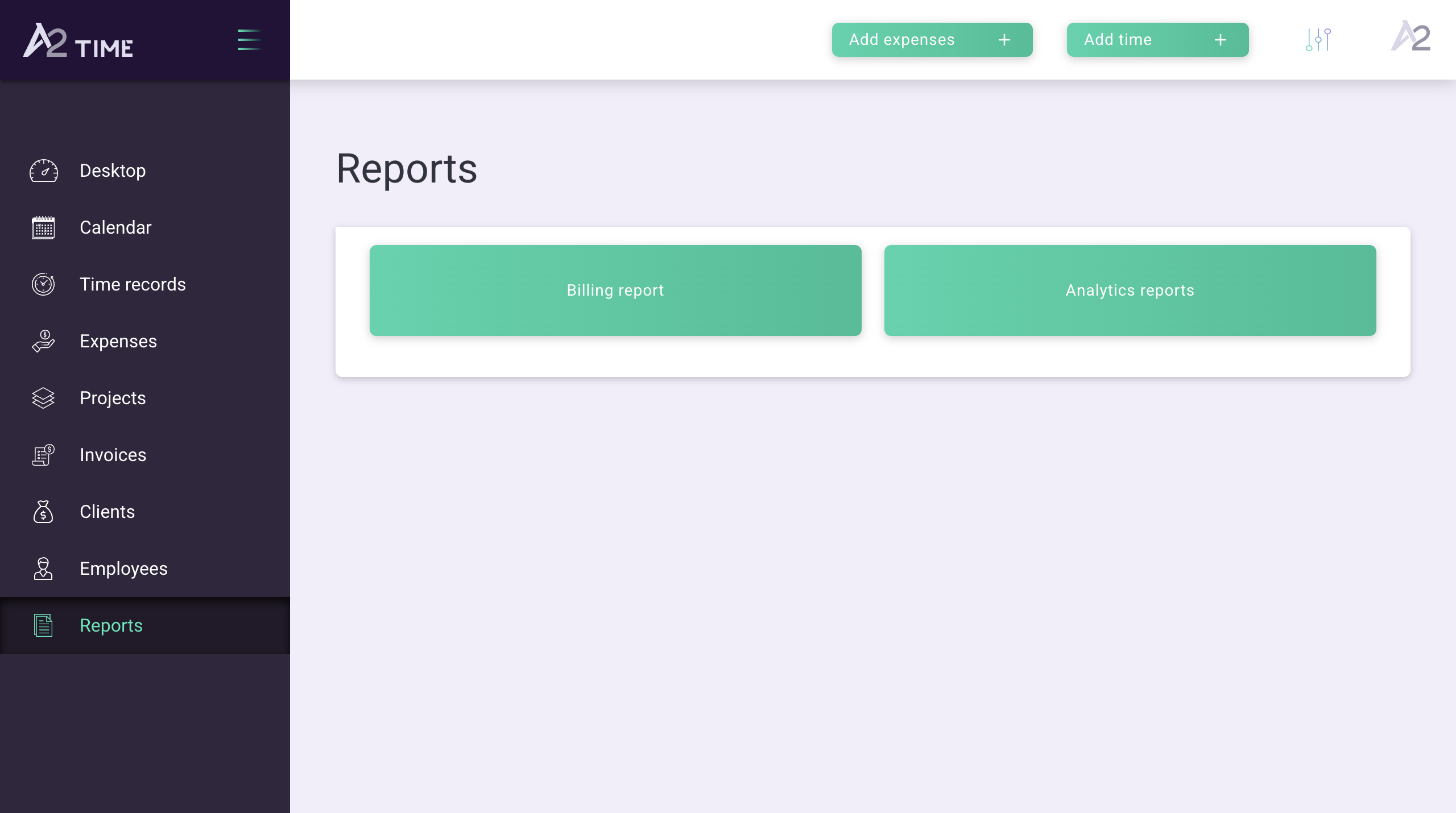
Reports
Create billing and analytics reports without building them from scratch every time.
1 / 6
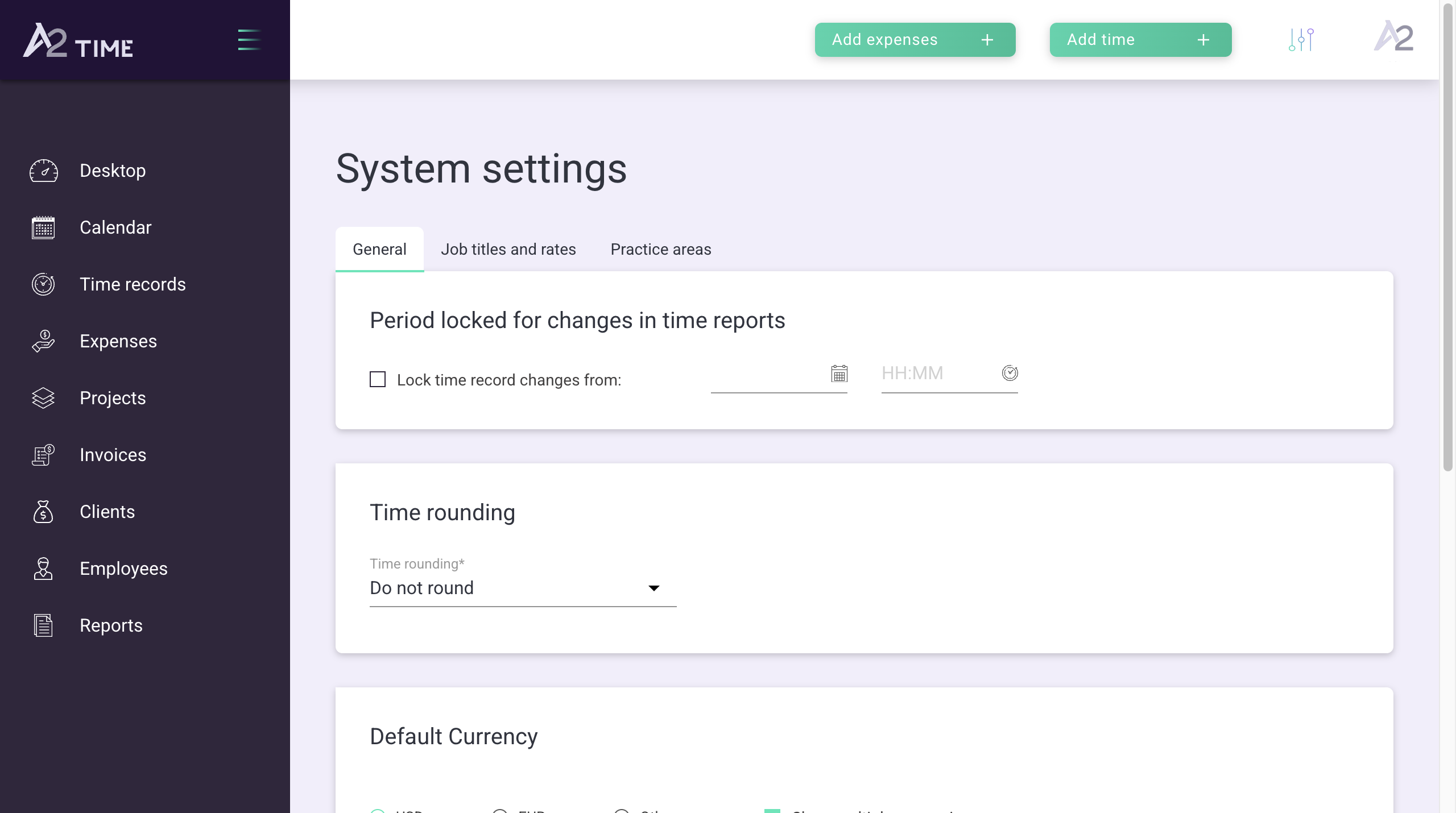
Settings
Set the rules for locked periods, rounding, currencies, job titles, rates, and practice areas.
1 / 6
Who this is for
Built for people like me.
If you bill your time — even sometimes — this is for you.
Solo lawyers
Track billable hours across matters. Export invoices your clients — and their in-house counsel — can read line-by-line.
A2.Time for lawyersIndependent consultants
See which engagements are actually profitable. Know before you propose the next one.
Freelance designers, developers, writers
Kill the timer. Kill the guilt about forgetting to start it. Let your calendar do the work.
Boutique-firm founders
Understand where your team's time actually goes. Set fees based on what work costs you, not what feels reasonable.
If you're not sure you're the audience, you probably are. This is for anyone who has ever stared at a blank invoice trying to remember what they did last week.
Proof
794,120 hours billed since 2018.
Freelancers, consultants, and small firms in law, design, and beyond.
"The system is genuinely nice to use. It has billing, a contact database, and case tracking. And because it syncs with Google Calendar, it's simply a great tool."

Anna Turevic
Freelance professional
"We've been using the system for almost a year. In one matter, the detailed time report was a real help: it let us defend the legal costs the court had awarded us on appeal."

Sergey Andreev
Attorney
"I've been using A2.Time for over six months. The system lets me generate reports for an agreement in a few clicks and send them to a client. The reporting feature helps me analyze the quality of services delivered, project costs, and each assistant's efficiency. I never thought project management could be this easy."

Fedor Sirosh
Attorney
For boutique firms
Small teams use it to see where the firm's time goes.
"We didn't choose A2.Time straight away; we looked at several systems first. This one had the simplest, most straightforward logic. As the firm grows we may look at something bigger and more expensive, but for our small team right now it's exactly right."

Kira Gin
Gin & Partners
"We've used the system for a little under a year. The interface is convenient, the menus are clear, and anyone can pick it up. Special thanks to the support team for sorting out small issues so quickly."

Veronika Burmistrova
Assistant to the CEO, Lexfor Law Firm
"My dream as a partner has come true. Wherever I am in the world, I can see what's happening in the office in real time, approve entries, run reports, and see how people and projects are performing, from any device. For me, A2.Time is the right mix: an intuitive interface, the tools you actually need, and sensible pricing."

Irina Sharoiko
Partner, Sharoiko & Partners Law Office
Features
Everything you need. Nothing you don't.
From calendar to invoice
- —Calendar sync (Google, Outlook)
- —AI-assisted client and project matching
- —Batch approval and bulk edit
- —XLS and PDF exports
Understand your practice
- —Realization rate per client and project
- —Non-billable time tracking (business dev, learning, admin)
- —Historical time reports so you can price the next engagement
Stay in control
- —Manual override on every entry
- —Nothing published until you approve
- —Data export at any time — it's yours
Pricing
Simple pricing.
I use this tool myself. It costs you what I would want to pay.
Monthly
For freelancers who want to try it, month to month. Cancel anytime.
- ✓Unlimited calendar integrations
- ✓AI client and project matching
- ✓Batch time approval
- ✓XLS/PDF exports
- ✓Email support
Lifetime
Pay once. Use it as long as A2.Time exists. This is the offer I'd have chosen when I first started my firm.
One-time, non-refundable payment.
- ✓Unlimited calendar integrations
- ✓AI client and project matching
- ✓Batch time approval
- ✓XLS/PDF exports
- ✓Email support
- ✓Priority support
Annual
Save 21% by committing for a year. Same tool, cheaper if you know you'll keep using it.
- ✓Unlimited calendar integrations
- ✓AI client and project matching
- ✓Batch time approval
- ✓XLS/PDF exports
- ✓Email support
All prices are per user. Monthly and annual plans are charged by PayPal when you sign up. If A2.Time isn't what I say it is, email me at ma@a2time.com within 14 days and I'll refund your first monthly or annual payment in full, personally. The lifetime plan is non-refundable.
FAQ
Questions I get asked.
Field notes
Everything I've learned about billing my time.
18 field notes on time, pricing, positioning, and clients. No email required. No gating.
Time & Systems
The Only Sacred Resource: Why Freelancers Must Track Their Time
The single principle that everything else in a freelance practice rests on.
ReadPricing
How to Price Your Work as a Freelancer or Consultant
A practical pricing framework: what to charge, when to raise, and when to walk away.
ReadPositioning
Two-Axis Positioning: The Smart Way to Stand Out
Why generalists lose in a crowded market — and the two axes that let you own a niche.
ReadReady to see where your time actually goes?
Pay by PayPal today. Cancel within 14 days and I'll refund you in full, personally.